


What's new in NX
Innovations in Siemens NX in December 2025
The latest release of NX is here, bringing a set of powerful enhancements that make part production easier and more efficient. Here are some of the major new enhancements in the latest release of NX X, CAM, AM and Designcenter.
NX Manufacturing Viewer
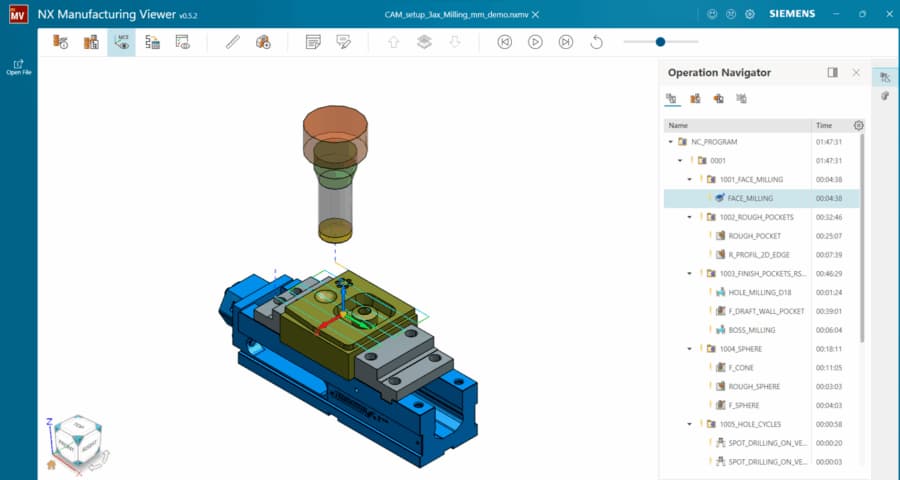
All manufacturing data can be exported in a simple and efficient way. The Manufacturing Viewer Extractor is available under the File > Export tab. With a single click, all relevant CAM data can be exported into an .nxmv file, including details such as part numbers, material information, and additional comments for the shop floor.
NX X Manufacturing Connect
Siemens is introducing NX X Manufacturing Connect, a part manufacturing data access application that allows these users to access the NX X Manufacturing Viewer and consume manufacturing data directly, without requiring a full installation. Viewer functionality can be extended with NX X Manufacturing tokens to unlock additional capabilities tailored to specific needs. This enables organizations to expand access cost-effectively, improve collaboration across teams, and leverage existing NX X Manufacturing subscriptions, ensuring correct and up-to-date data is available to all stakeholders who need it.
Order Management for NX X Manufacturing
The new Orders Management for NX X Manufacturing simplifies the entire customer order process, from quote to production. It provides a centralized hub where customer requests, quotes, and orders flow seamlessly, replacing manual and disconnected workflows..

Admin Console UI update
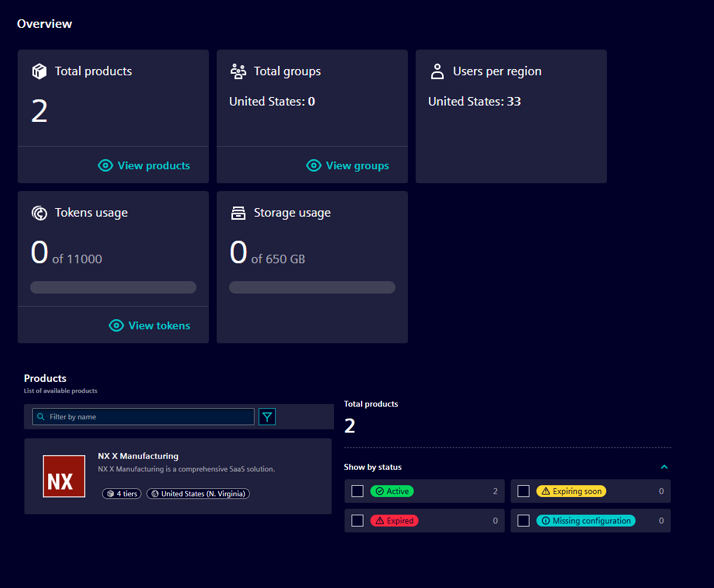
Finding product settings and user configuration options is now more intuitive, eliminating the need to hunt through menus. Users can now be organized into logical groups, and rules, policies, and configurations applied to entire groups at once. Instead of managing each user individually, groups such as “Manufacturing Engineers” or “Shop Floor Operators” can be defined, with settings applied collectively.
Active vs Inactive users
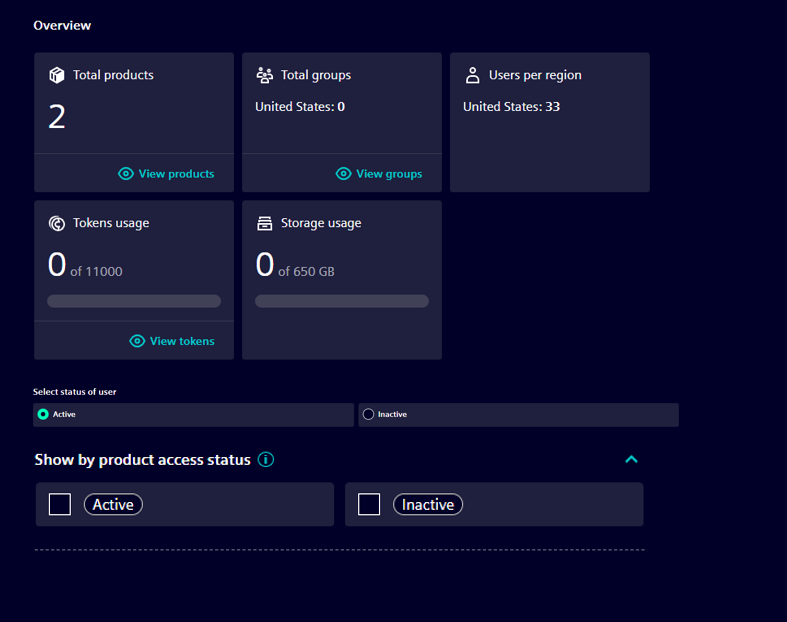
Siemens has introduced a smarter approach to user management that provides greater flexibility. Users can now be flagged as active or inactive: active users can sign in and count toward the subscription, while inactive users do not. This allows you to manage more users without purchasing additional licenses, giving flexible control over access and licensing.
AI-Make Machining Suggestion
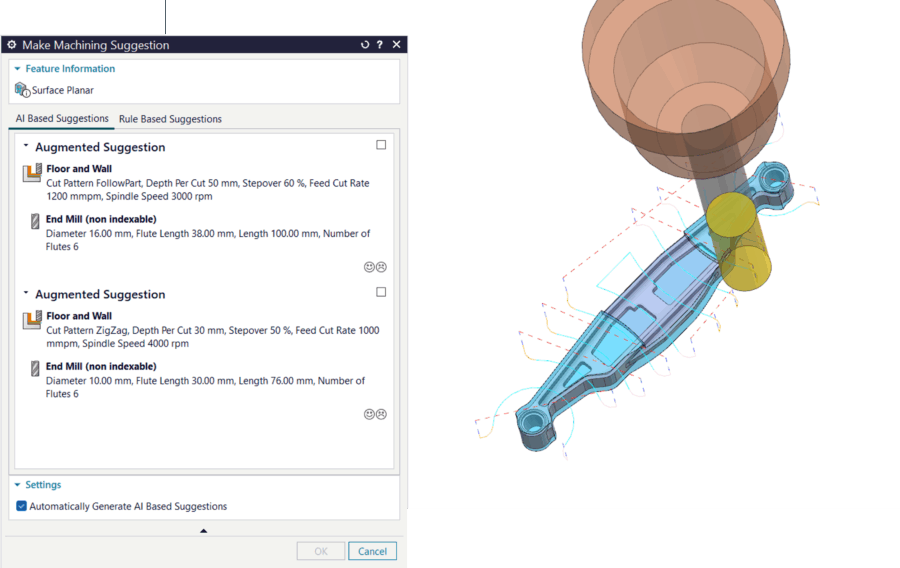
Siemens has taken manufacturing automation to the next level with AI-powered Make Machining Suggestion capability. Building upon conventional MMS(Make Machining Suggestion) capabilities, powerful, AI-driven intelligence has been added to reduce manual programming effort and improve consistency.
Fixture automation
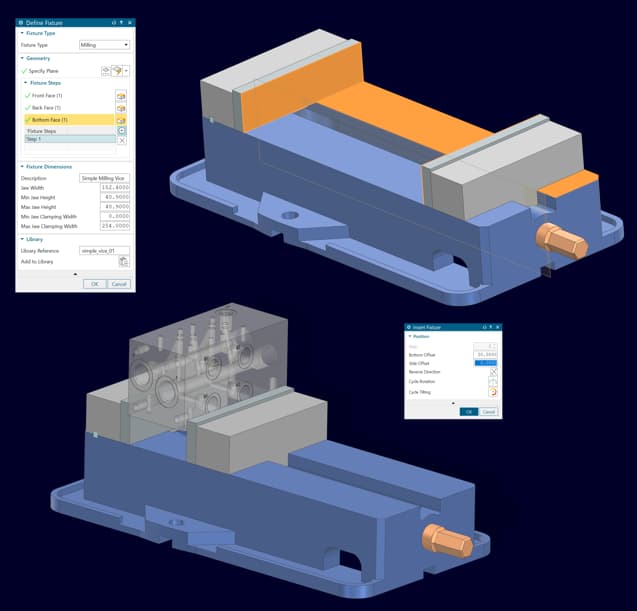
Siemens has slashed fixture setup time from hours to minutes with NX CAM’s new intelligent, automated fixture positioning. The updated, simplified dialogs make adding fixtures to the library and inserting them into setups effortless.
Background Generate
To make programming and manufacturing teams more productive, the new Background Generate feature creates toolpaths in the background using a secondary NX process, so you can keep working in the main session without interruptions. With real-time status indicators showing progress and queued operations, you stay informed every step of the way.
Integrated work holding device management
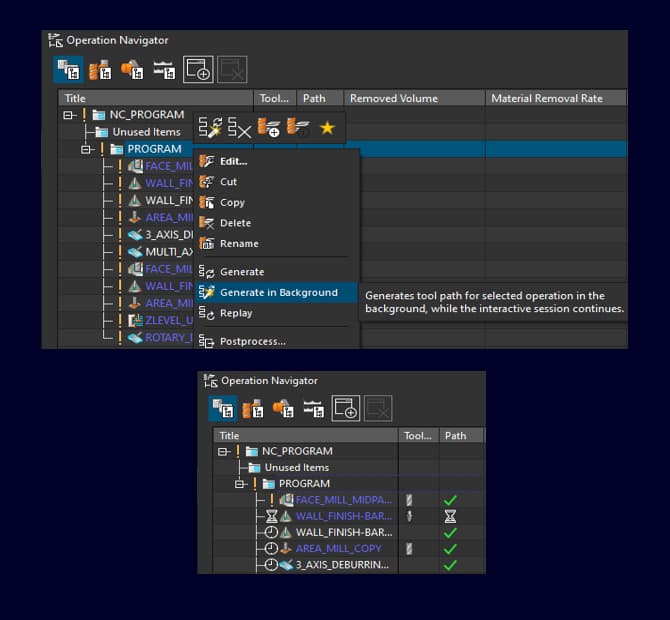
You can now create, manage, and simulate workholding devices with ease. The new Fixture Automation system automatically aligns fixtures with parts, provides instant visual updates during repositioning, and simplifies fixture management. Setups are faster, more flexible, and highly accurate, letting you focus on programming rather than repetitive manual tasks.
Instant multi-channel machine viz
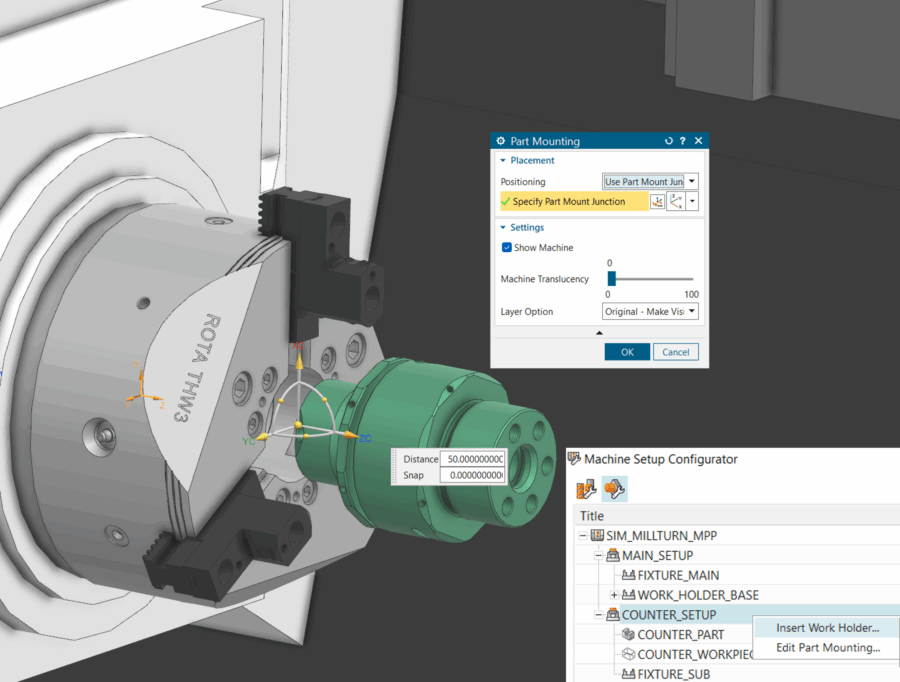
Monitoring complex multi-channel operations is now simple and intuitive. NX CAM provides dynamic, channel-specific visualization and real-time machine state previews, making setups easier to understand, validate, and execute with confidence.
Real-time Machine Axis Control
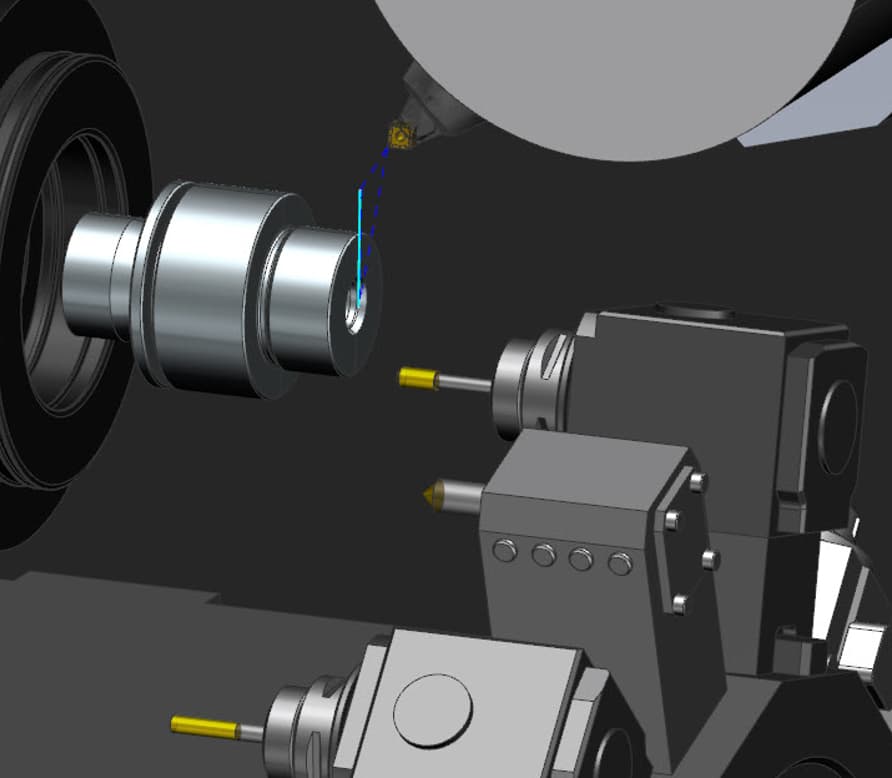
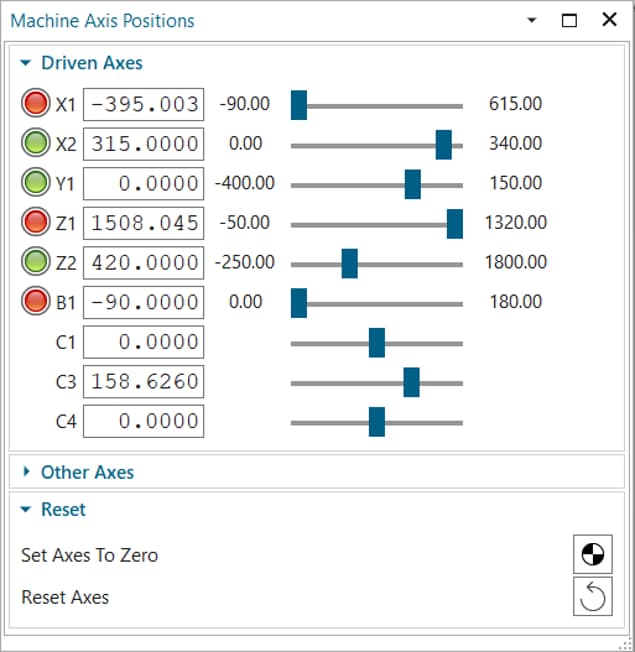
While programming, you can now adjust machine axis positions in real time using controls in the Machine tab. Each movement updates instantly on screen, giving immediate visual feedback and helping you validate programming decisions as you work. The feature supports all machine setup variants, including complex configurations with workholding or tool-holding devices, so it fits seamlessly into existing workflows and improves overall programming accuracy.
Machine-Aware CAM operations
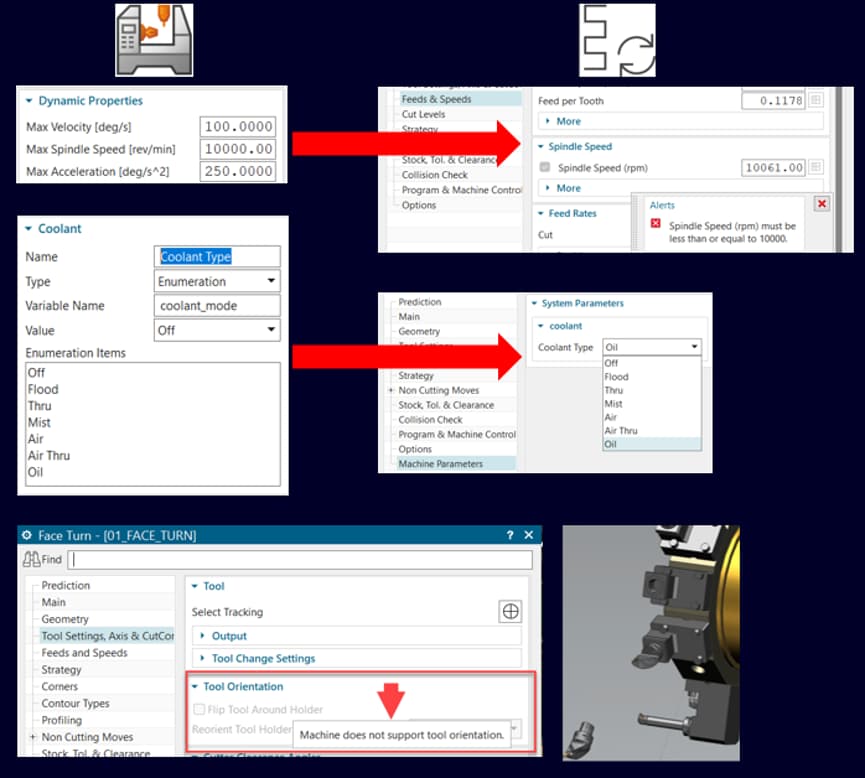
NX CAM is now more intelligent and machine-aware. As soon as a machine is loaded, NX interprets its real capabilities, including spindle ranges, axis limits, travel boundaries, and coolant options, and applies them directly to operations. You don’t have to worry about manually setting parameters, and errors such as exceeded travel limits or invalid spindle speeds are automatically avoided.
Profile Slicing and Infill Ramp Enhancements for Rotary Buildup
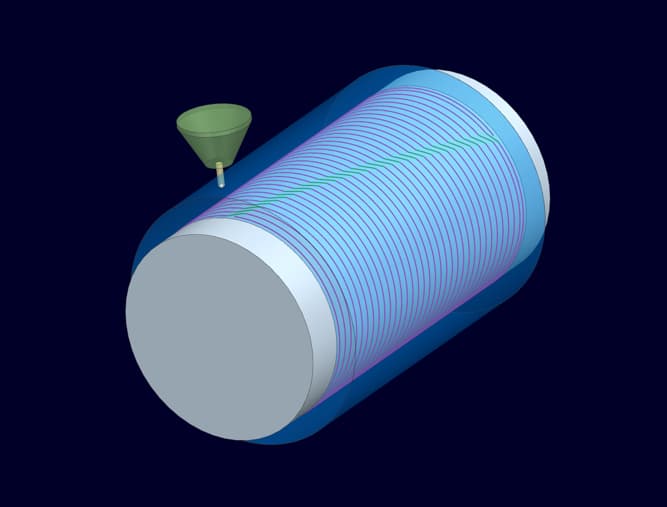
The latest updates to profile slicing, ramping, and infill patterns deliver smoother, more consistent rotary buildup. As a result, defects at slice boundaries are now virtually eliminated. By simplifying machine motion and improving slice quality, these enhancements ensure reliable, void-free results across all additive operations.
Build Style Enhancements for Multi-Axis Additive Manufacturing
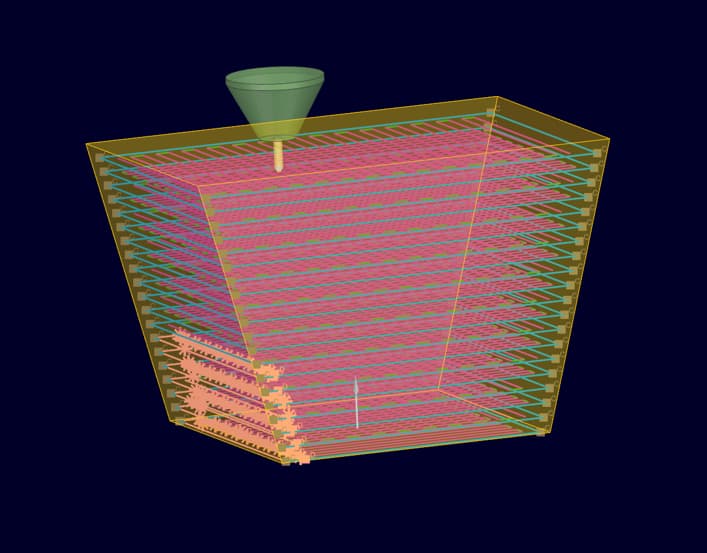
Custom parameters can now be applied to corners, overhangs, and other critical areas, making multi-axis additive prints more consistent and reliable. You can fine-tune power, feed rate, and related settings, and easily visualize these areas to validate and refine builds for stable, high-quality results.
Enhanced Multi-Body Support
Enhanced Multi-Body Support makes build preparation easier and gives greater control over complex parts. You can define each body as solid, support, lattice, or sheet, applying different build strategies for critical areas and speeding up support setup. Bodies can also be grouped, split, or merged as needed, simplifying multi-body builds within a single part.
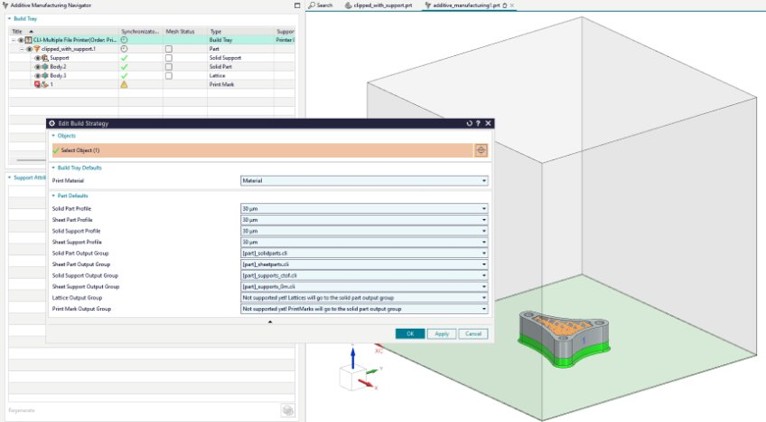
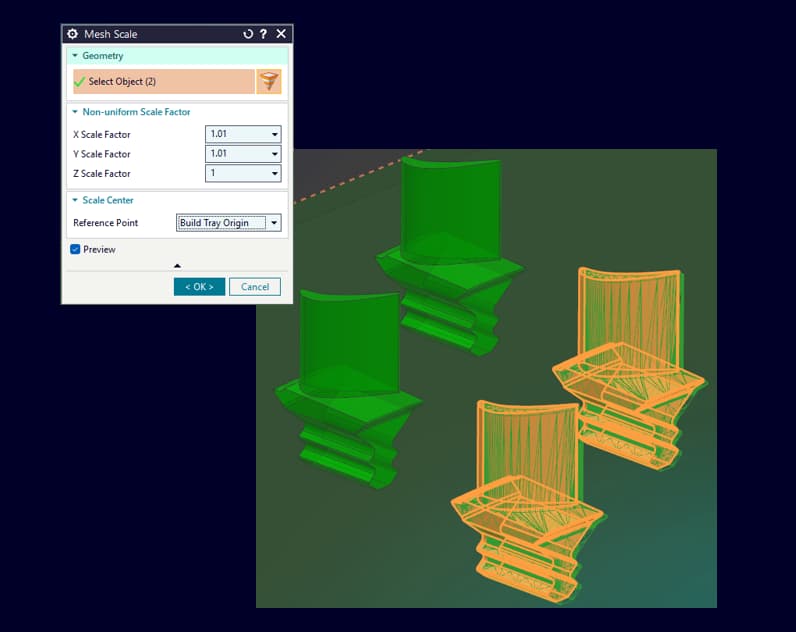
Part-Specific Mesh Scaling and Material-Specific Mesh Scaling
Part- and material-specific mesh scaling has been introduced in the latest version of NX Additive Manufacturing to ensure parts maintain their correct size and shape while accounting for material-specific shrinkage during cooling.
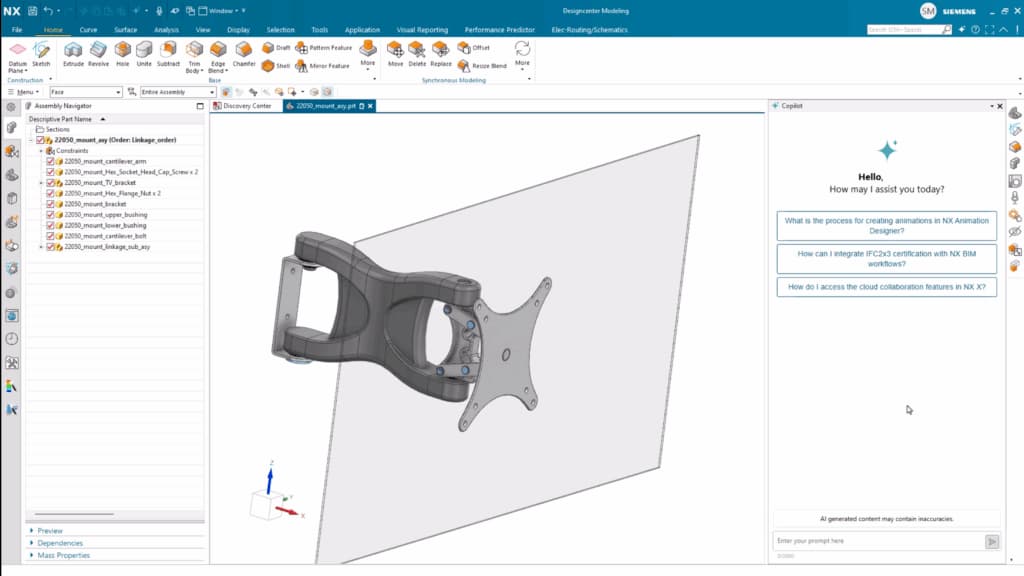
Copilot | AI Powered automation in Designcenter X NX
Within Copilot, you can ask questions in plain language, where everything will be translated into domain-specific commands. It’s a tool to helping with everything from design best design approaches through to error resolution. Copilot is a truly revolutionary tool that streamlines workflows, making Designcenter X NX easier to use, especially for new users.
Highly engineered sketches with Mechanism Mode
It is an incredibly useful tool for mechanism sketches where there is a need to move curves into different design positions to define or check a profile. Additionally, it can also be used when sketches need to be defined for multiple components for an assembly. These sketches are otherwise known as skeleton sketches.
Algorithmic Modeling
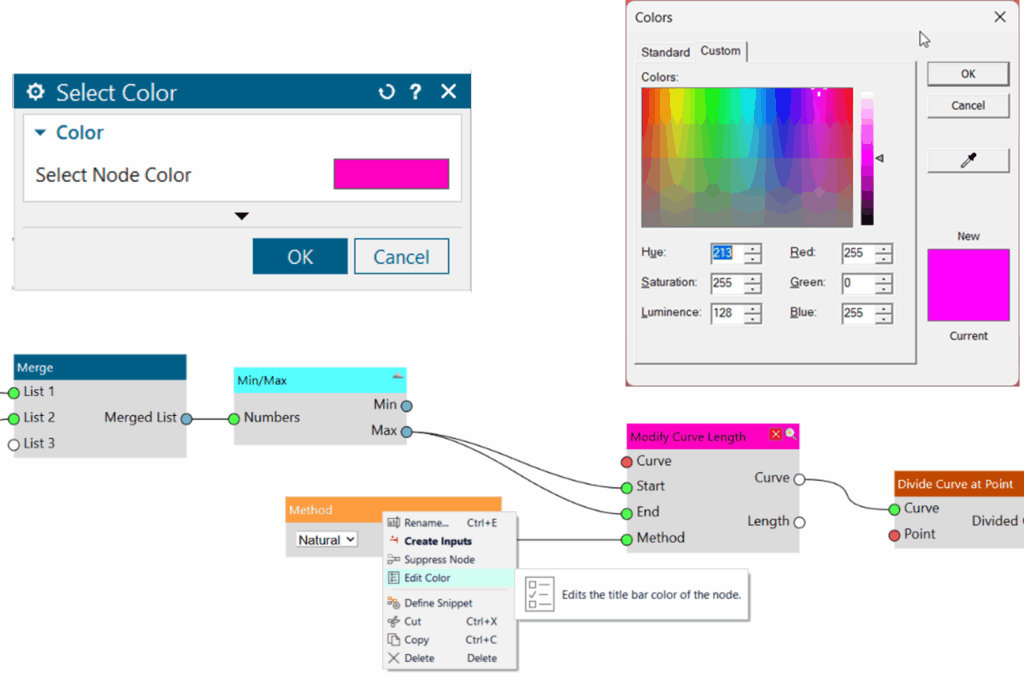
In this latest release, you can now specify the color of a node’s title bar to make it easier to interpret the rule, or group with other rules.
You can select any color, provide your own RGB / HSL values or use the dropper to inherit colors from a location on your screen. Changing the color will alter the title bar of your rules but the body will remain unaffected. Any new color is preserved in the collapsed state, and the title text auto-adjusts to a contrasting shade.
Body Lattice Control and Analytical Patterning
Analytical Patterning is a great use case where Lattices involving an analytical unite cell, hybrid unit cell, or convergent unit cell where multiple faces need to stay persistent. Bearing this in mind, Siemens has added new capabilities to the Body Lattice command in this latest release.
A complete overview of all innovations in NX 2512 is available here:
DO YOU HAVE ANY QUESTIONS ABOUT SIEMENS NX?
![[Translate to English:] Manuel-Obernoeder-AMbitious](/fileadmin/user_upload/ambitious/ansprechpartner/manuel-obernoeder.jpg)
Subscribe to our newsletter to receive the latest news about Siemens NX software.
YOUR PRACTICAL PARTNER
As a Siemens NX AM Expert Partner, AMbitious powered by toolcraft provides training on Siemens NX and can support you with the implementation and use of Siemens NX software together with its modules along the entire AM process chain.
